

Most guides to football club websites come from companies that sell a website builder, and they give you the same list: fixtures, news, a contact page. I wanted to know what clubs actually do, so I went through twelve football sites from our showcase that run on Alchemists, my WordPress theme. Eight of them are clubs, from Greenock Morton in Scotland to Terengganu FC in Malaysia. One is a league, the US National Premier Soccer League, and three are federations.
This guide starts with what those sites have in common. Then it covers how to set up WordPress so the league table updates itself, and the parts the builder guides skip: who posts the score after the final whistle, running a dozen teams on one site, photos of youth players, and what it all costs. It’s written for football (soccer, if you’re in the US) at any level, from a Sunday league club to a national federation.
What 12 real football club websites have in common
I opened each homepage and wrote down what was on it. Of the eight clubs:
- 7 show the next match on the homepage, most with a countdown to kick-off.
- 7 show the league table on the homepage.
- 6 sell tickets online, and all six do it on a separate ticketing site.
- 6 show sponsor logos on the homepage.
- 5 run a shop on the same site with WooCommerce. The other 3 link to a separate store.
- 4 ask fans to become members.
- At least 4 list more than one team in the menu: youth, academy or women’s sides. ElPozo Murcia, a futsal club, lists more than a dozen.
All eight clubs use SportsPress, the free WordPress plugin for sports data. Between them the twelve sites are written in seven languages, and the two Arabic federation sites read right to left.
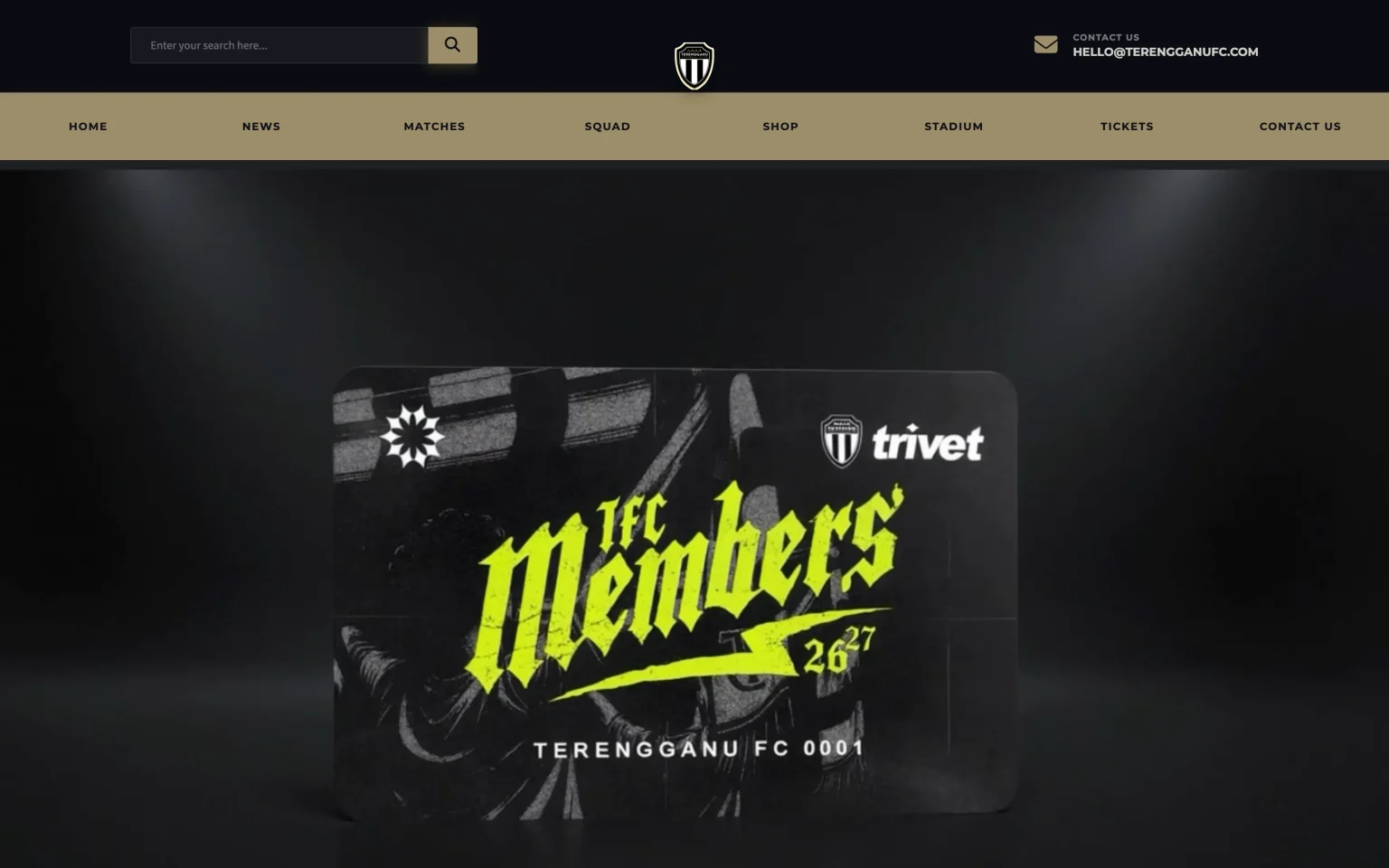
The pattern is simple. Fans come with three questions: when is the next match, what was the score, and where are we in the table. The clubs answer those on the homepage and keep everything else one click away, which is why their menus are short. Terengganu’s has eight items.
Federation sites are the opposite. FECAFOOT’s menu is mostly its history, committees, statutes and national teams, because its visitors are clubs, officials and journalists rather than fans checking a score. Work out which kind of visitor you have before you plan the menu.
Set up SportsPress for football
In the SportsPress settings, set the sport to Football. American football has its own entry, so pick the right one. That one choice sets up most of what a football site needs:
- Results as a win, draw or loss, with 3 points for a win and 1 for a draw.
- A league table with the usual columns: played, won, drawn, lost, goals for, goals against, goal difference and points.
- Teams level on points sorted by goal difference, then by goals scored.
- Goalkeeper, defender, midfielder and forward as positions, and goals, assists, yellow cards and red cards as match stats, with the minute of each.
Check how your competition separates teams that finish level. Goal difference first is how the Premier League does it. La Liga and Serie A look at the matches between the two teams first. If yours does too, set Tiebreaker to Head to head in the SportsPress league table settings.
Don’t type the season’s fixtures one by one. Leagues usually send the fixture list as a spreadsheet. Save it as a CSV file and use Tools > Import > SportsPress Fixtures, which reads the date, time, venue, home team, away team and match day of each fixture. My SportsPress league tutorial covers the rest of the setup: leagues, seasons, teams and the league table.
Decide who posts the score
Club websites usually go stale for one reason: the only person with a login is busy, on holiday or has left the club. A result from three weeks ago on the homepage tells every visitor that nobody looks after the site.
Give the job to the people who are at the match. SportsPress adds an Event Manager role for this. An event manager can add results, scorers and lineups, and write news, but their news waits for an editor to approve it, and they can’t change the design, the settings or the plugins. Give one login to each team manager, or to one matchday volunteer per team.
After the final whistle, entering a result takes a few minutes on a phone: open the match, type the score, add the scorers with the minute and save. The results list, the league table and every player’s season totals update from that one entry.
Give every match its own page
A match page does two jobs. Before kick-off it’s the link you share: date, time, the ground with a map, and how to get tickets. After the match it’s the record: the score, who scored and when, and who played.
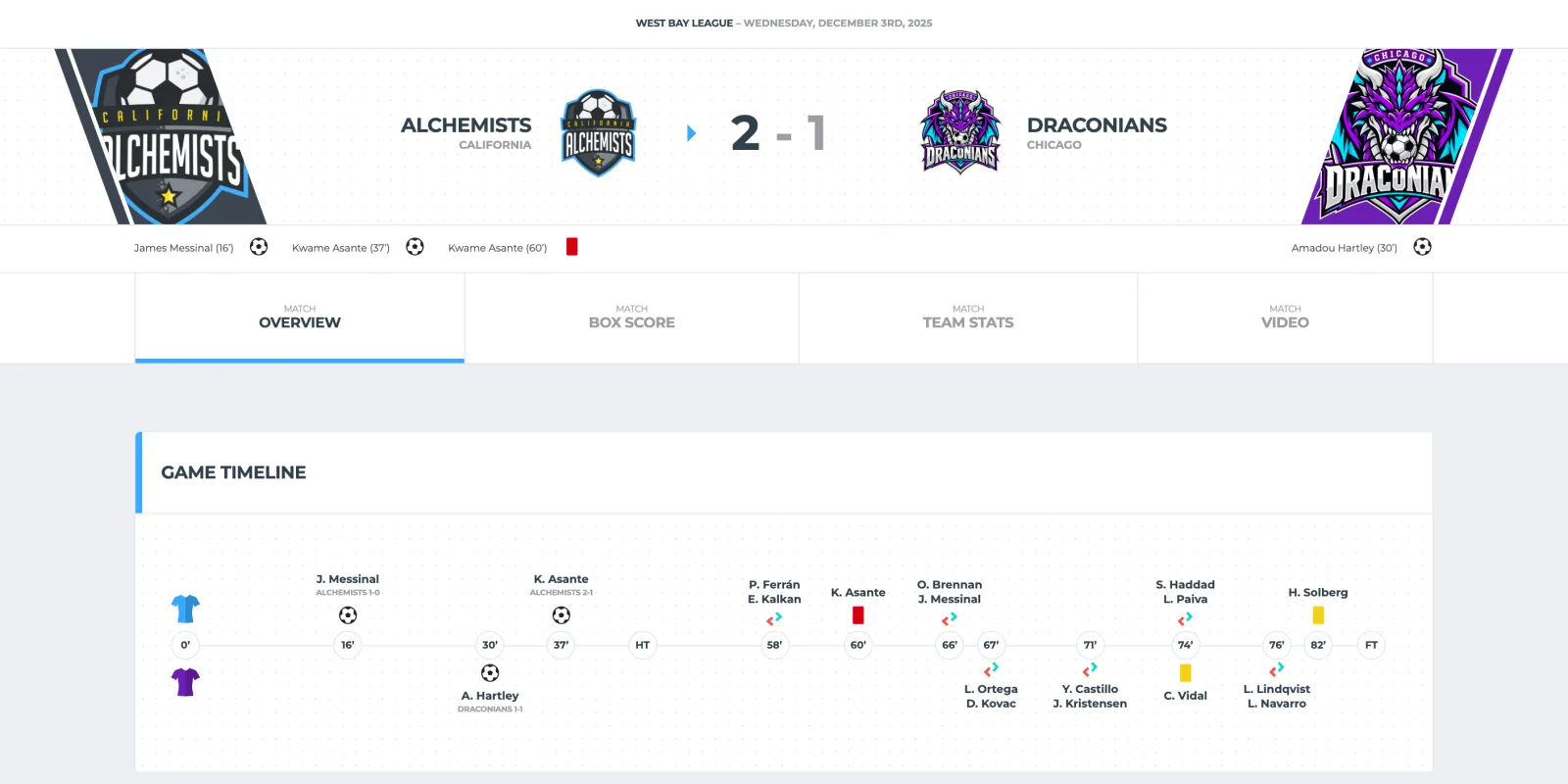
Alchemists 5.1 rebuilt its football match pages. The Overview tab has a timeline of the goals and cards, the match statistics and both lineups. The Box Score tab shows each team’s formation on a pitch, and Team Stats has each team’s shots and recent results. A Sunday league club doesn’t need all of that. The score and the scorers are enough to start, and the rest is there once you have the data.
One club, many teams
Most clubs run more than a first team. In SportsPress every side is its own team: the first team, the women’s team, the under-18s, the under-14s. Each competition is a league, so the first team can play in both the league and the cup, and each year is a season.
On the site, a Teams menu with a page for each team works well. ElPozo Murcia and Nea Salamis both do it this way. A SportsPress team page can show that team’s own fixtures, results and squad, so each age group gets its own corner of the site.
You don’t need full stats for every age group. For the youngest teams, a fixture list and a way to contact the coach are usually enough, and the next section explains why you may want to leave their player pages out anyway.
Photos and names of youth players
Builder guides leave this part out, and it’s the part where a mistake matters most. The FA’s guidance on photographing and filming children supports clubs publishing photos of young players, with conditions. You need written consent from a parent before a child’s photo or video goes on the club website, and the FA suggests collecting it on the yearly membership form. Don’t publish a photo with a child’s full name unless you have that consent, and don’t put up profiles of junior players with photos and personal details.
On the website, that comes down to a few habits:
- Skip player pages for junior teams. A team photo, with consent, is enough.
- Use first names or initials in youth match reports.
- Keep a list of who has given consent, and check it before a photo goes up.
- Let news go live only after someone has read it. The Event Manager role already works that way.
Surrey FA recommends putting the club welfare officer’s contact details within one click of the homepage. Giugliano Calcio has a Safeguarding page in its main menu, and the NPSL links to its SafeSport compliance page from its menu. Outside England, your own FA and your data protection law set the rules, but these habits are a safe place to start.
If your league uses FA Full-Time
In England, most grassroots leagues run their fixtures and results on FA Full-Time, and it can feed your website. A team admin finds the code under Full-Time Admin > Media > Code Snippets: a league table, recent results, upcoming fixtures, or a team’s or the club’s fixtures and results. The FA took the snippets off public pages, so whoever builds the site needs a team admin login, which your league can give them. Paste a snippet into a Custom HTML block and it shows up on the page. One limit: the club snippets don’t work across more than one league.
So you have a choice for each team. Embed the Full-Time table and you never type a result, but you get no match pages or player stats, and the table looks like Full-Time instead of your site. Enter results in SportsPress and you get both, for a few minutes of typing per match. You can also mix the two: the first team in SportsPress, the junior teams from Full-Time.
Registration works the same way. Players register through the FA’s Whole Game System, so link to it instead of copying forms onto your site. Wherever you are, if registration or payments already run on another system, a clear link to it is all your site needs.
Tickets, shop and sponsors
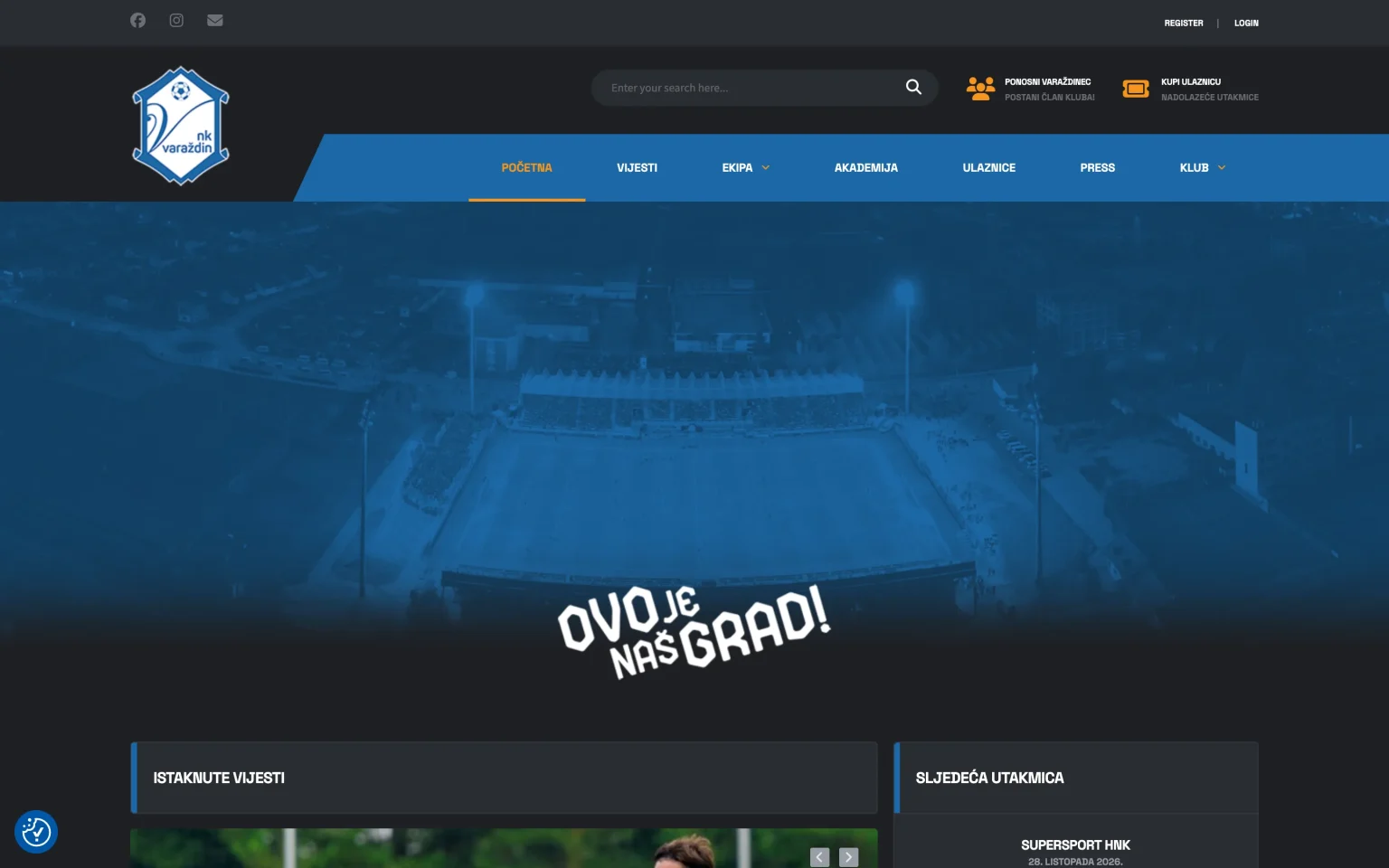
None of the clubs I looked at sells tickets through WordPress itself. The six that sell online use a ticketing platform and link to it from the menu or the header. At Hamrun Spartans, the tickets link goes to the Malta FA’s ticket site. NK Varaždin puts a ticket button next to the search bar, beside a button for becoming a member. Do the same, and add the link to the text of each home match.
A shop is different. Five of the eight clubs run theirs on the same site with WooCommerce, which keeps fans on your site and the money in one account. If you only sell a home shirt and a scarf, a few products linked from the menu are enough. If your kit supplier already runs a club store for you, link to that.
Sponsors pay to be seen, so make it easy to see and to count. Put their logos on every page (the footer works) and give them a sponsors page with a line about each one and a link to their site. At the end of the season, tell them how many people visited. That number makes the next sponsorship talk easier.
What it costs, and who owns it
A WordPress club site costs roughly $150 to $250 in its first year: hosting at about $5 to $15 a month, a domain at about $15 a year, and a theme. Alchemists is $59 a year and renews at 40% off, or $179 once for a lifetime license. Hosted club website builders range from free plans with limits to a few hundred a year.
The bigger difference is ownership. A WordPress site, its content and its domain belong to the club. You can move it to another host, hire someone to change it, or take everything with you if you stop.
The real risk for a site run by volunteers is the handover. Volunteers move on every few seasons, and the next one inherits whatever logins they can find. Register the domain and the hosting with a club email address instead of someone’s personal one, keep two admins, and write a one-page note on how to post a result. Pin it in the committee’s group chat.
Build it with Alchemists
Alchemists is the sports theme I make for WordPress, built on SportsPress. Its soccer design has everything in this guide: the next-match countdown, league tables, match pages with the timeline, lineups and formations, player pages, a sponsors page and a WooCommerce shop, all in a demo you can import with one click.
- Install WordPress and the Alchemists theme, and activate your license.
- Install the plugins the theme asks for, including SportsPress and Alchemists Soccer for SportsPress. Add WooCommerce if you want a shop.
- Set the SportsPress sport to Football. Alchemists switches to its soccer design.
- Import the soccer demo, then replace the sample teams, players and matches with your own.
- Import your fixtures from the league’s spreadsheet, and add your teams and players.
- Create an Event Manager login for each person who posts results.
- Open the homepage, a match page and the league table on a phone before you share the link.
If you’d rather not do the setup and the data entry yourself, I can do it for you. Setup is $490 and gets the theme and demo running on your hosting with your logo and colors. Launch is $1,190 and adds your teams, players, fixtures and standings from a spreadsheet.
Coming in January: Hattrick
I’m also building Hattrick, a WordPress theme made only for football clubs and leagues, for January 2027. Alchemists buyers get a discount on it, and people on the list get a launch-week discount. If you need a site before then, Alchemists is the one to use.