

I’ve sold WordPress themes on ThemeForest since 2010. About 16,000 sales, an Elite Author badge, twenty items. This summer I submitted a theme to the free WordPress.org directory for the first time, and it was rejected. I fixed everything on the list, submitted again, and it was rejected again. From first upload to going live took six and a half weeks.
This is the story of those two rejections, because they weren’t about design or code quality. They were about things ThemeForest has never once asked me for.
The theme
Matchday is a block theme I built for MeinTurnierplan.de, a tournament-planning service. It integrates with MeinTurnierplan and displays fixtures, results and standings through blocks. The functionality lives in a companion plugin, Matchday Blocks, which is the core of it; the theme’s job is to output that data and style the site around it. Both are on WordPress.org: Matchday and Matchday Blocks.
It’s a full site editing theme: patterns, template parts, theme.json, the current way of building WordPress themes. It’s listed under my account while the final changes go in and moves to the client’s account after that.
Rejection one: the hard one
I submitted on June 13. On June 19 the ticket came back closed. Not “please fix and reply” but closed, which on WordPress.org means you lose your place in the review queue and the resubmission starts from the back.
The list:
- Image licenses. Every image bundled with the theme needs its source and license spelled out, per image. I had screenshots and placeholder images with no attribution file at all.
- Copyright and license in the readme. The readme needs an explicit copyright line and the GPL declaration. Mine had a description and a changelog.
- Theme URI. The Theme URI has to point to a page about the theme. I had it pointing at the live demo, which the reviewers treat as a marketing page.
- Email addresses. A custom-domain address in the theme files (official@matchdaytheme.com) isn’t allowed. It has to be an @example.com placeholder.
- Internationalisation. Strings inside the pattern PHP files weren’t wrapped in translation functions. On ThemeForest, patterns are markup nobody reads; on WordPress.org, every visible string is checked.
- An image referenced but not bundled. One pattern pointed to a file that wasn’t in the package.
None of these are hard to fix. Together they took an afternoon. I resubmitted on July 5, at the back of the queue.
Rejection two: the one I didn’t see coming
On July 15 the second review came in. This time the ticket stayed open, which is the softer kind of rejection: fix it and reply, keep your place.
The problem was what the reviewer saw. Reviewers test on a clean WordPress install with zero plugins, and so does the theme preview on WordPress.org itself. Not “no premium plugins”: none, including the ones a theme lists as recommended. Matchday used the Icon Block plugin for the icons in its patterns. Without the plugin, every one of those icons turned into a box saying “Your site doesn’t include support for the Icon block.”
The preview looked like this:
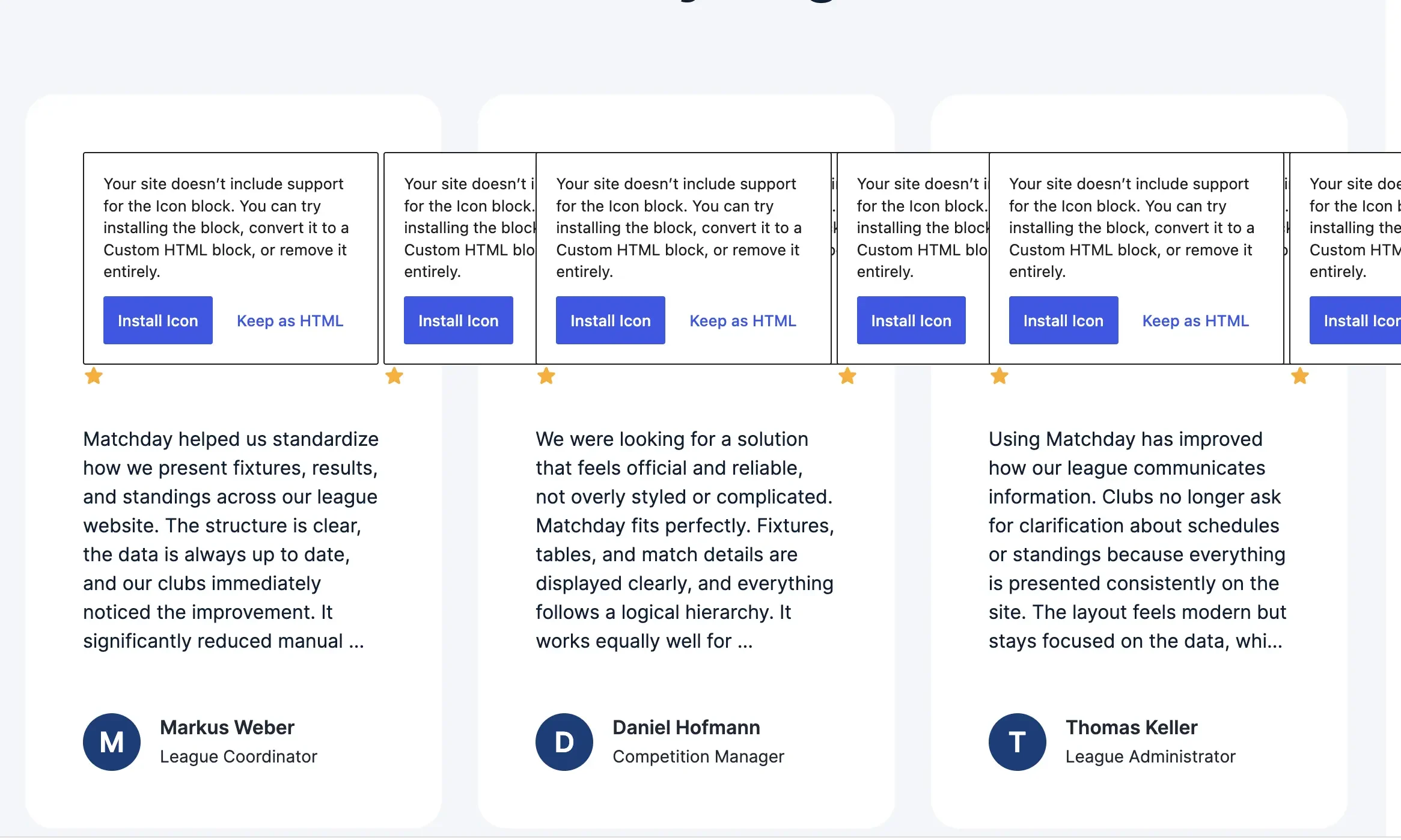
Fair point. A buyer on ThemeForest installs the required plugins first and never sees that state. A visitor to WordPress.org sees it before anything else.
What changed in the build
The second rejection changed how the theme is put together, not just what’s in the readme.
Only WordPress.org plugins can be recommended. A directory theme can’t point to plugins hosted anywhere else. The whole ThemeForest habit of bundling a commercial plugin and prompting for it on activation doesn’t transfer. That’s why the MeinTurnierplan functionality lives in Matchday Blocks, a plugin on WordPress.org, rather than in a bundled zip.
Patterns get a fallback first. Every pattern that used a third-party block now checks whether that block exists and outputs a core block when it doesn’t. The calendar icon from the fixtures pattern.
Before:
<!-- wp:outermost/icon-block {"iconName":"matchday-icons-calendar-date-range","iconColor":"primary","iconColorValue":"#00A6E2","hasNoIconFill":true} -->
<div class="wp-block-outermost-icon-block">
  <div class="icon-container has-icon-color has-no-icon-fill-color has-primary-color" style="color:#00A6E2;width:48px">
    <svg xmlns="http://www.w3.org/2000/svg" fill="none" viewBox="0 0 24 24" stroke-width="1.2" stroke="currentColor">
      <path stroke-linecap="round" stroke-linejoin="round" d="M6.75 2.994v2.25m10.5-2.25v2.25 …" />
    </svg>
  </div>
</div>
<!-- /wp:outermost/icon-block -->
After:
<?php if ( WP_Block_Type_Registry::get_instance()->is_registered( 'outermost/icon-block' ) ) : ?>
  <!-- wp:outermost/icon-block {"iconName":"matchday-icons-calendar-date-range","iconColor":"primary","iconColorValue":"#00A6E2","hasNoIconFill":true} -->
  <div class="wp-block-outermost-icon-block">
    <div class="icon-container has-icon-color has-no-icon-fill-color has-primary-color" style="color:#00A6E2;width:48px">
      <svg xmlns="http://www.w3.org/2000/svg" fill="none" viewBox="0 0 24 24" stroke-width="1.2" stroke="currentColor">
        <path stroke-linecap="round" stroke-linejoin="round" d="M6.75 2.994v2.25m10.5-2.25v2.25 …" />
      </svg>
    </div>
  </div>
  <!-- /wp:outermost/icon-block -->
<?php else : ?>
  <!-- wp:icon {"icon":"core/calendar","style":{"dimensions":{"width":"3rem"},"elements":{"link":{"color":{"text":"var:preset|color|accent"}}}},"textColor":"accent"} /-->
<?php endif; ?>
The else branch is the core Icon block that ships with WordPress 7.0. With the plugin, the site gets the Matchday icon set; without it, a core calendar icon in the accent colour. Either way, nobody sees a notice.
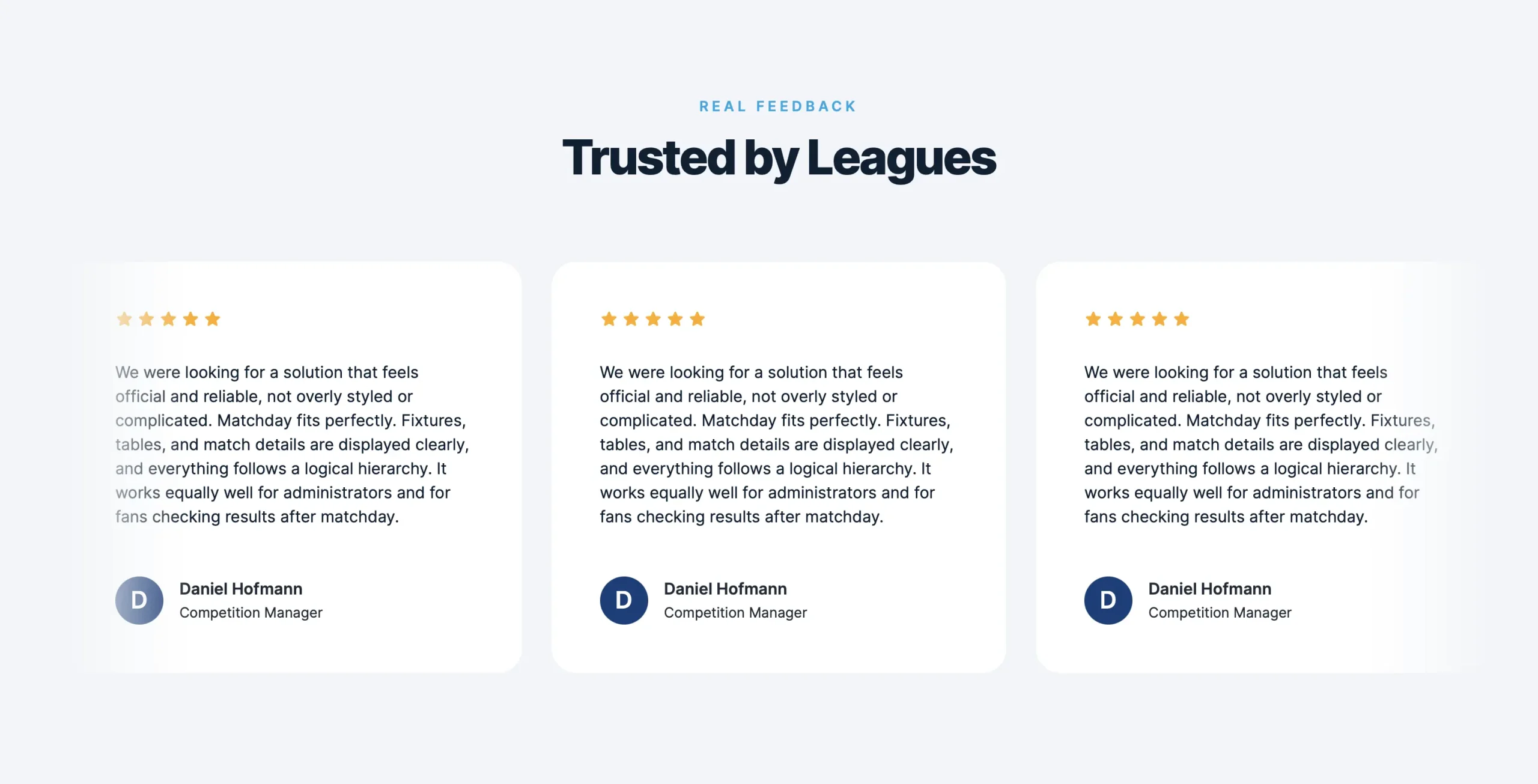
The Icon Block dependency is on its way out. Once the theme’s minimum WordPress version moves to 7.1, the if goes away and the core block stays. From WordPress 7.1 the core block also accepts custom icons.
Surprised, or fair
What surprised me is that there’s no way to show a theme at a glance with demo content and the plugins it’s meant to run with. A good site is usually a combination of theme and plugins, and the directory strips one half of that out before anyone looks. That’s a limit of the platform, and it’s the reason the build changed.
The image rule felt strange at first and fair by the end. On ThemeForest you tick a checkbox saying you have the rights to the images, and that’s the whole check. On WordPress.org you list every image with a link to its source and its license. It’s more work. It’s also the only one of the two that would hold up if anyone asked.
The bit I keep coming back to: ThemeForest reviewed my themes for design and code for sixteen years and never asked where an image came from or whether a string was translatable. WordPress.org asked on day one. Both make sense for what each platform is. The directory’s checks are aimed at a different person: whoever installs the theme on a bare site, with nothing else. I’d never built for that person before.
About the reviewers
The WordPress.org theme review team are volunteers. Two rejections and six weeks sounds like a complaint, and it isn’t one; the second reviewer caught something I would have shipped. I’ve been looking at what it takes to join the review team, partly to shorten that queue for the next person.
Matchday went live on July 28. The theme is at wordpress.org/themes/matchday and the plugin at wordpress.org/plugins/matchday-blocks.